



If you plan to do business in the United Arab Emirates (UAE), the VAT registration certificate is one of the first legal documents you will need. The UAE introduced a 5% Value Added Tax(VAT) in January 2018, and companies that meet the turnover threshold are required to register for VAT, collect tax on behalf of the government, and file returns.
The certificate, issued by the Federal Tax Authority (FTA), confirms that your business is registered for VAT and provides a Tax Registration Number (TRN) that appears on invoices, contracts, and bank paperwork. Without it you risk hefty fines, reputational damage and the inability to access certain services.
In this guide we’ll cover what a VAT certificate is, who must register, the documents required, step‑by‑step registration, how to download your certificate, how to request a hard copy and pro tips to keep your business compliant in 2026.
What Is a VAT Registration Certificate?
A VAT registration certificate is an official document issued by the FTA verifying that a business is authorised to collect and remit VAT. The certificate includes vital details such as:
- Tax Registration Number (TRN): a unique 15‑digit number allocated to the registrant.
- Legal name (Arabic and English) of the entity.
- Registered address and contact number.
- Effective registration date.
- First VAT return period and due date, indicating when your first return must be filed.
- Start and end dates of subsequent tax periods (e.g., monthly or quarterly filing)
- Licence‑issuing authority where the company is registered.
Possessing a valid certificate is proof that your business is compliant and allows you to quote your TRN on invoices, claim input tax credits, open corporate bank accounts, obtain trade licences, and work with suppliers who insist on dealing with VAT‑registered businesses. Failure to register when required attracts penalties and may prevent you from receiving payments from clients.
Mandatory vs Voluntary VAT Registration
Understanding whether you need to register is crucial. The FTA distinguishes between mandatory and voluntary registration based on turnover and residency.
Mandatory registration
According to the FTA, registration is obligatory for:
- Resident businesses whose total taxable supplies and imports exceed AED 375 000 during the past 12 months or are expected to exceed that threshold within the next 30 days.
- Non‑resident businesses that make taxable supplies in the UAE. For non‑residents, there is no turnover threshold; registration is required whenever taxable supplies are made.
- Deadline: A taxable person must submit their registration application within 30 days of being required to register. Late applications attract a fixed penalty and additional fines.
Voluntary registration
Businesses can voluntarily register if their taxable supplies or expenses exceed AED 187 500 during the previous 12 months or are expected to exceed that amount in the next 30 days. Voluntary registration allows start‑ups below the mandatory threshold to recover input VAT and appear more credible to partners. However, once registered, voluntary registrants must comply with all VAT obligations.
Penalties for non‑registration
The FTA emphasises that registration applies to any natural or legal person conducting business in the UAE, regardless of whether they hold a trade licence. Failing to register within the 30‑day window results in administrative penalties, currently AED 10,000 for late VAT registration (waivers may be available for timely filings under recent FTA initiatives) and further fines if tax returns are not filed or paid on time. Always apply promptly to avoid back‑dated liabilities.
Documents Required for VAT Registration
The FTA requires detailed documentation to verify the legal status, owners and turnover of the applicant. Requirements vary according to whether the applicant is a natural person, legal person (company), branch or non‑resident. Common documents include:
- Certificate of Incorporation, Memorandum of Association or partnership agreement (where applicable).
- Commercial registration certificate and valid trade licence with branch licences (if any).
- Emirates ID and passport copies of owners and authorised signatories.
- Power of attorney for the authorised signatory (required if the signatory is not named in the Memorandum or to add additional authorised people).
- Official declaration of taxable supplies and monthly sales from the establishment date to the application date, signed by the authorised signatory.
- Supporting documents such as invoices, purchase orders, contracts, ownership deeds, completion certificates and lease agreements.
- At least five VAT invoices for expenses exceeding the registration threshold.
- Expected revenue documents (purchase orders or contracts) signed by both parties.
- Bank letter detailing the bank account (optional but advisable). For companies, the account must be in the company’s name; sole proprietors can use a personal/sole‑establishment account.
- Customs registration number (if the business imports goods)
- Additional evidence such as club/charity registration or government decrees for special entities.
All documents must be uploaded in PDF or DOC format with a maximum file size of 15 MB per document. Keep digital copies ready to avoid delays.
Step‑by‑Step Guide to Register and Obtain Your VAT Certificate (New Taxpayers)
For businesses registering for the first time, the FTA’s EmaraTax portal is the gateway to VAT compliance. Registration is free and the initial certificate is issued digitally after approval. Below is a step‑by‑step roadmap:
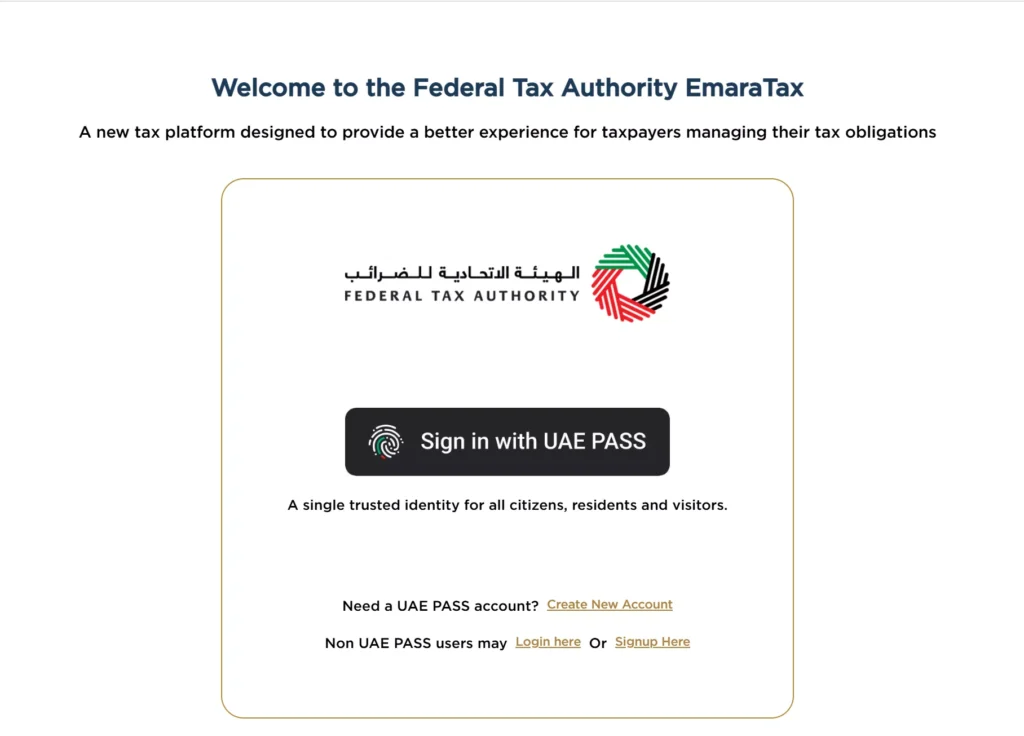
- Create and activate your EmaraTax account. Visit the FTA website and sign up for an EmaraTax account using your email or UAE Pass. Verify your email to activate the account.
- Log in and create a taxable person profile. After logging in, access your dashboard and click “Create New Taxable Person Profile”. Provide basic details (legal name, trade licence, contact information). Each business needs a separate taxable person profile.
- Start the VAT registration application. Within the taxable person profile, click “Register” under the Value Added Tax section. Complete the multi‑section form covering business activities, turnover, expected supplies, bank details and ownership structure.
- Upload supporting documents. Attach the documents listed in the previous section. Ensure accurate figures for taxable supplies and expenses. Misleading information can lead to penalties or rejection.
- Review and submit the application. Double‑check all entries before submitting. The FTA estimates that completing the online application takes about 45 minutes. Once submitted, note the reference number for tracking.
- Wait for FTA approval. The FTA aims to process registration within 20 business days. They may request clarifications or additional documents via your EmaraTax dashboard. Respond promptly to avoid delays.
- Download the VAT certificate. Once the application is approved, the VAT registration certificate will appear in your dashboard’s “My Correspondences” section. Click the certificate and download the PDF.
If you want to watch the whole process, you can view it here: Register taxable person VAT EN
How long does it take?
While the FTA quotes 20 business days for processing, many applicants receive approval within 5 to 10 working days if documents are complete. However, missing information or high application volumes can extend the timeline. Always apply early to accommodate processing and avoid penalties.
Processing fees
The initial digital certificate is free; you don’t pay anything when first registering. Fees apply only when requesting a replacement or a certified hard copy (see below).
Downloading Your VAT Certificate (Existing Taxpayers)
If you registered before December 2022 (when the FTA migrated from the old e‑Services portal to EmaraTax), your existing certificates should automatically transfer once you migrate your account. To download your certificate:
- Log in to the EmaraTax portal using your Emirates ID, UAE Pass or taxpayer account.
- From the Dashboard, select My Correspondences.
- Click on your VAT certificate and select Download.
What if my certificate isn’t there?
If you don’t find your certificate under “My Correspondences,” you can generate a new one by updating your registration profile:
- Log in to EmaraTax and find the VAT registration application in your dashboard.
- Click Edit in the About the VAT registration section.
- Update your information (e.g., contact details or business turnover) and resubmit for FTA review.
- Once the FTA approves the amendment, your new certificate will be available for download.
Requesting a Hard Copy of the VAT Certificate
While digital certificates are widely accepted, some banks, government agencies or foreign partners may require a stamped hard copy. The FTA offers a paid service to issue physical certificates:
- Access your EmaraTax account and go to your taxable person profile.
- Under the relevant tax (VAT), click Actions → Print Certificate.
- Click Proceed to payment and select the payment method (credit card via Magnati or other options).
- Pay the AED 250 service fee and record the payment reference number.
- The FTA will print the certificate and send it through Emirates Post to your registered address.
- Allow 20 business days for processing and delivery.
Tip: If you only need a PDF copy, save the fee and download the certificate digitally. Hard copies are mainly used when an official stamp is required.
Verifying a VAT Registration Number
Suppliers and customers often need to validate a company’s TRN to ensure that invoices are compliant. You can verify a TRN through the FTA’s online verification tool:
- Visit the FTA’s TRN verification page.
- Enter the company’s 15‑digit TRN.
- The portal will display the registered business name and VAT status.
Always validate suppliers’ TRNs before claiming input tax credit to avoid fraudulent invoices.
Conclusion
Navigating UAE tax regulations doesn’t need to be difficult. Whether you’re preparing to register for VAT for the first time or trying to retrieve your certificate from the new EmaraTax portal, our team of experts at Bestax can guide you through every step. We assist with registration, amendments, VAT return preparation, and compliance so you can focus on growing your business. Get in touch today for a free consultation and keep your business compliant.
Frequently Asked Questions (FAQs)
1. Is TRN the same as the VAT certificate?
No. The Tax Registration Number (TRN)is a 15‑digit number issued to a business upon successful registration. The VAT certificateis the document containing the TRN along with the legal name, address, registration dates and tax period information. The TRN appears on invoices and tax returns, while the certificate is used as proof of registration.
2. How long does it take to get a VAT registration certificate?
The FTA typically processes applications within 5 to 20 working days, depending on the completeness of your submission and FTA workloads. The certificate is available for download once the application is approved.
3. Do I need to pay for a VAT certificate?
The initial certificate is free. You only pay AED 250 when requesting a certified hard copy or replacement. Downloading a digital copy from EmaraTax after registration is free.
4. I’m a freelancer or small business below AED 375 000. Should I register?
If your taxable supplies or expenses exceed AED 187 500, you may voluntarily register. Voluntary registration allows you to reclaim input VAT and may improve your credibility. However, you must then comply with VAT obligations (regular return filing and record‑keeping).
5. Can foreign companies register for VAT in the UAE?
Yes. Non‑resident businesses must register when they make taxable supplies in the UAE, regardless of the amount. The FTA will require details of a UAE‑based authorised signatory and possibly a tax agent to manage filings.
6. What happens if I register late?
If you fail to submit a registration application within the 30‑day period after becoming liable, the FTA can impose a fixed penalty (currently AED 10,000) and may back‑date your liability. Additional penalties apply for late filing and payment of VAT. Always register promptly.
7. How often do I need to file VAT returns?
Your VAT certificate states your first tax return period and due date. The FTA generally assigns quarterly filing periods for businesses with annual turnover under AED 150 million and monthly periods for larger businesses. The FTA will inform you of your exact schedule in your certificate.
8. Do I have to use an agent to register for VAT?
No. Businesses can self‑register via EmaraTax. However, many companies hire tax consultants to ensure that forms are completed correctly and to manage ongoing compliance.
Disclaimer: The information provided in this blog is for general informational purposes only. For professional assistance and advice, please contact experts.
